CodeSplash Bookmarks started as a web app and a Chrome extension for the links worth returning to. Version 1.0 is available on the App Store for iPhone and iPad. Same account, same library, now with a share-sheet action for the half of your reading that happens on a phone.
Save from anywhere
Tap Share in Safari or any compatible app and choose Save to Bookmarks. The link lands in Queue, where it also shows up in the web app and the Chrome extension a moment later. No copy and paste, no email to self.
Give every link a place
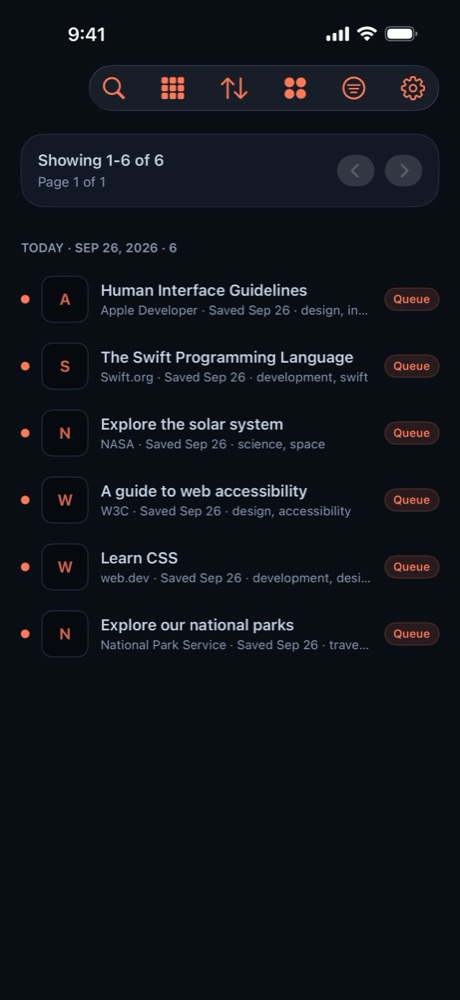
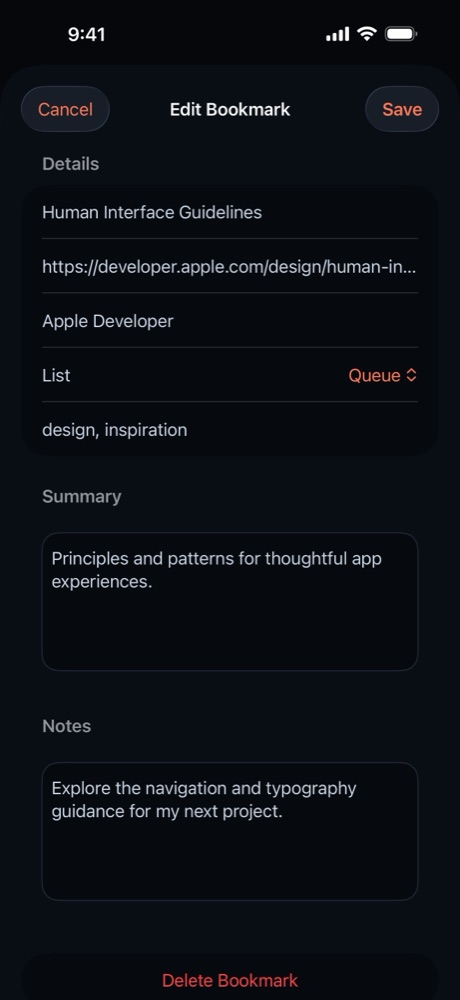
Bookmarks move between Queue, Reading, Favorites, and Archived. Add tags, a short summary, and notes so you remember why a page mattered. Search the library, filter by list, source, tag, or read status, and sort or group the results the way you browse.
Read and finish
Saved pages open in the in-app browser. Mark them read or unread, swipe to archive when you are done, and the state syncs back to the web app.
Make it yours
Choose List or Cards, pick from light and dark themes including Ocean and Heat, Tokyo Night, GitHub, Gruvbox, Rose Pine, Catppuccin, and Ayu, and set your library defaults. On iPad the grid uses the extra space.
Your account, your call
Bookmarks needs an account so the library can sync. Version 1.0 adds account deletion in Settings. Confirm with your password and your account, library, and session data are removed immediately.
Availability
The web app is live at bookmarks.codesplash.ai. Download the iPhone and iPad app from the App Store, or explore the product page. The guide already covers the iOS flow.