
Documentation
CodeSplash Bookmarks
Save articles, videos, sites, and social posts from Chrome or mobile, then use Queue, lists, tags, search, reader views, and summaries to turn a growing collection into a useful library.
CodeSplash Bookmarks is available on the App Store for iPhone and iPad and on the web. Chrome extension 1.0.0 is live in the Chrome Web Store. AI-assisted organization rolls out progressively.
Open the web app · Download on the App Store · Add to Chrome
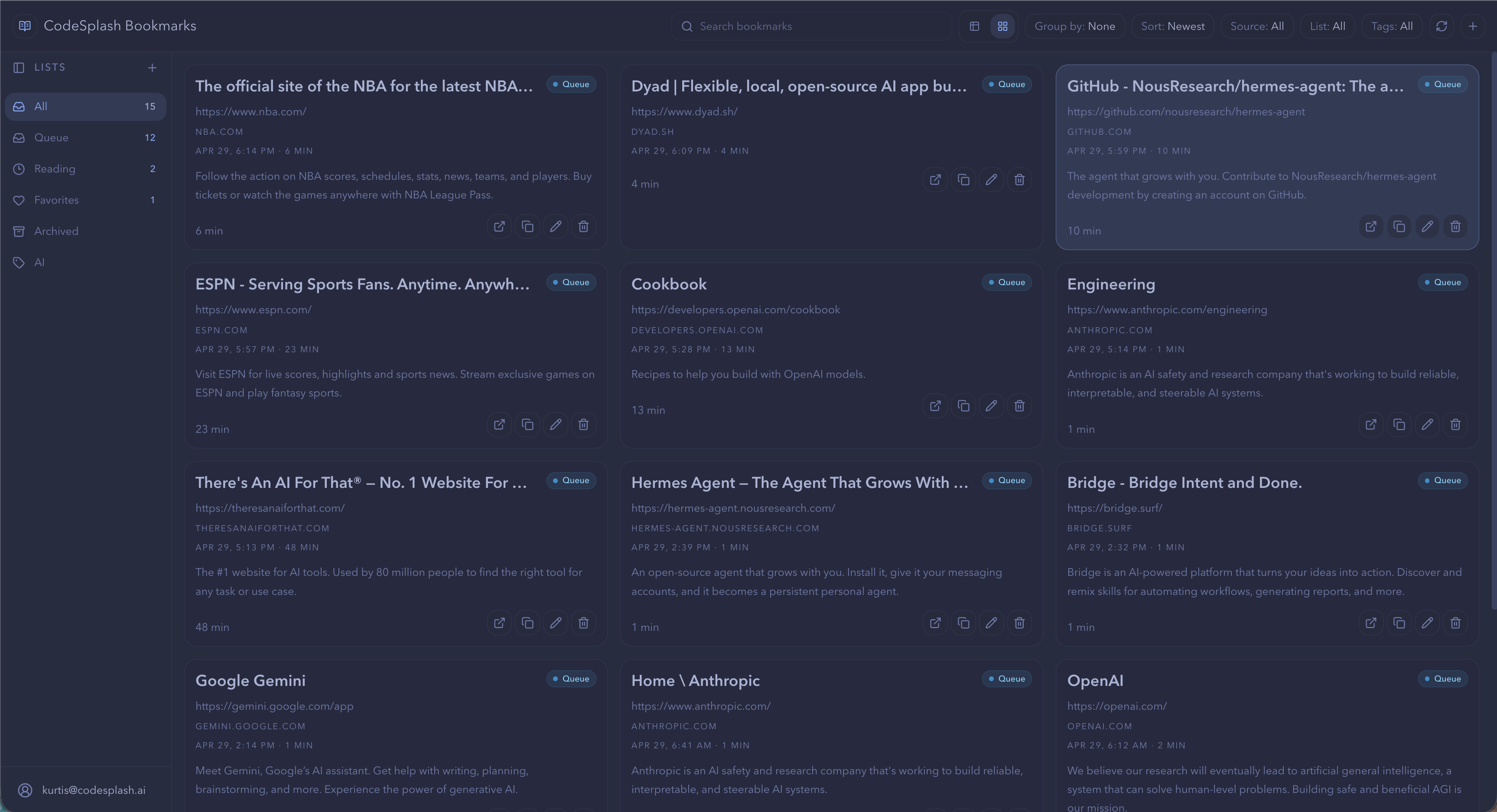
Capture what matters#
Save quickly enough that capture does not interrupt the activity that led you to the item.
Save from Chrome#
Install CodeSplash Bookmarks from the Chrome Web Store, then sign in with the same account you use on the web or iOS.
- Open the page you want to keep.
- Use the CodeSplash Bookmarks extension.
- Add an optional note, list, or tag when it will improve recall.
- Save the item to Queue.
Expected result: the item appears in the same library when you open the web app.
Save from iPhone or iPad#
- Install CodeSplash Bookmarks for iOS and sign in with your account.
- In Safari or another app, tap Share and choose Save to Bookmarks. If it is hidden, enable it under Edit Actions.
- Return to the app and pull to refresh Queue.
Expected result: the link appears in Queue on iOS and in the web app.
The iOS app has the same lists (Queue, Reading, Favorites, Archived), tags, summaries, and notes as the web app. Tap a bookmark to open it in the in-app browser, swipe to archive or mark it read, and switch between List and Cards layouts or themes in Settings. Account deletion is under Settings, Account.
Use Queue as an inbox#
Let uncertain items land in Queue. Organize during a deliberate review rather than turning every save into a classification task.
Organize the library#
Use lists for durable collections, tags for cross-cutting concepts, and grouping for the way you want to review the current result set.
Create focused lists#
Name lists after a project, responsibility, or recurring use. Avoid building a deep taxonomy before the library is large enough to reveal useful patterns.
Apply useful tags#
Prefer a small, consistent vocabulary. Tags should help you find items that belong together even when they live in different lists.
Switch views and grouping#
Use the list view for dense review and the grid view for visual scanning. Group by the dimension that answers the current question, then clear it when it stops helping.
Search and rediscover#
Search should work even when you remember the idea but not the exact page title.
Search titles, notes, and metadata#
Start with the distinctive concept, person, product, or phrase you remember. Add a list or tag filter when the result set remains broad.
Combine filters#
Use multiple filters to narrow a large library, and clear them before beginning an unrelated search. The visible result count shows how much of the library remains.
Recover from no results#
Remove the most specific filter, try a related term, or check Queue. An item may have been saved with page metadata that differs from the phrase you remember.
Read and refine#
Turn storage into a reading workflow by reviewing content, adding context, and deciding what deserves to remain.
Open reader view#
Use the clean reading surface when available. Return to the original source for interactive media, comments, or context the reader cannot preserve.
Edit notes and placement#
Update the note after reading so it records the actual takeaway. Move the item from Queue to a durable list or archive it when no further action is needed.
Use summaries responsibly#
Treat generated summaries as previews, not replacements for source material when details, claims, or decisions matter.
Digests and library maintenance#
Use recaps and periodic cleanup to prevent the saved library from becoming an ignored backlog.
Review a daily recap#
Open the most promising unfinished item, dismiss anything that no longer matters, and avoid saving the entire digest back into Queue.
Review automatic tags#
Keep accurate suggestions and remove misleading ones. A smaller clean taxonomy produces better rediscovery than a large noisy one.
Archive or remove stale items#
Archive completed references you may still need. Remove duplicates, broken links, and material that no longer has a plausible future use.
Troubleshooting#
A saved page does not appear#
Confirm the extension and web app use the same account, refresh the library, and check Queue before saving a duplicate.
Page metadata looks wrong#
Edit the title, note, or image when available. Some sites expose incomplete metadata or change it after the page loads.
A reader view is incomplete#
Open the original page. Highly interactive, authenticated, or script-rendered pages may not translate fully into a clean reader.
Frequently asked questions#
Should every item have a list and tags?#
No. Queue is designed for fast capture, and many items only need organization after you decide they are worth keeping.
What is the difference between a list and a tag?#
A list is a primary collection; a tag is a reusable label that can connect items across collections.
Can I edit an AI-generated summary?#
When editing is available, refine it around the takeaway you want to remember and verify important claims against the source.