Shipping the feature is only part of a release. There is also the update page, the announcement, the screenshot, and the follow-up. CodeSplash’s admin marketing workspace brings that work into the same desktop where the product is built.
From release evidence to a campaign
The release pipeline reads repository changes and produces an analysis artifact before generating content. That gives a campaign a common source for its release summary, website update, and social drafts. Product identity travels with the campaign, so an Agent announcement links to Agent instead of the desktop app.
The admin view lets you inspect the resulting text and attached media. Drafts have individual review states and schedules. You can revise an angle, regenerate a draft with feedback, or leave a campaign in review while its visuals catch up.
Media belongs beside the copy
The capture workflow runs a separate desktop instance with a sample project. Original 3840×2160 screenshots and native 4K walkthroughs can be attached to the campaign from the media library. Capture records bind each image to its product, feature, release, and source commit. Missing captures hold publication instead of generating a generic title card. Threads can publish additional screenshots as replies to the original post. This is useful when a feature is easier to recognize than describe: a new panel control, a model catalog, or a different place to start a task.
Tutorial videos need their own treatment. A still image of an open screen is not a recording of someone using it. For a walkthrough, the useful asset is the actual sequence of clicks, with enough time to read the instructions.
Approval that follows the channel
Approval rules can differ by product, platform, and campaign type. Release announcements can move through an automated route while ad hoc posts stay in review. The existing checks still look at claims, repeated content, links, media, and account connection health.
Scheduling also has its own limits. An approved draft can wait for its scheduled time or a platform budget. Approval is a decision about the content; publishing is a separate event with its own recorded result.
See what happened after publishing
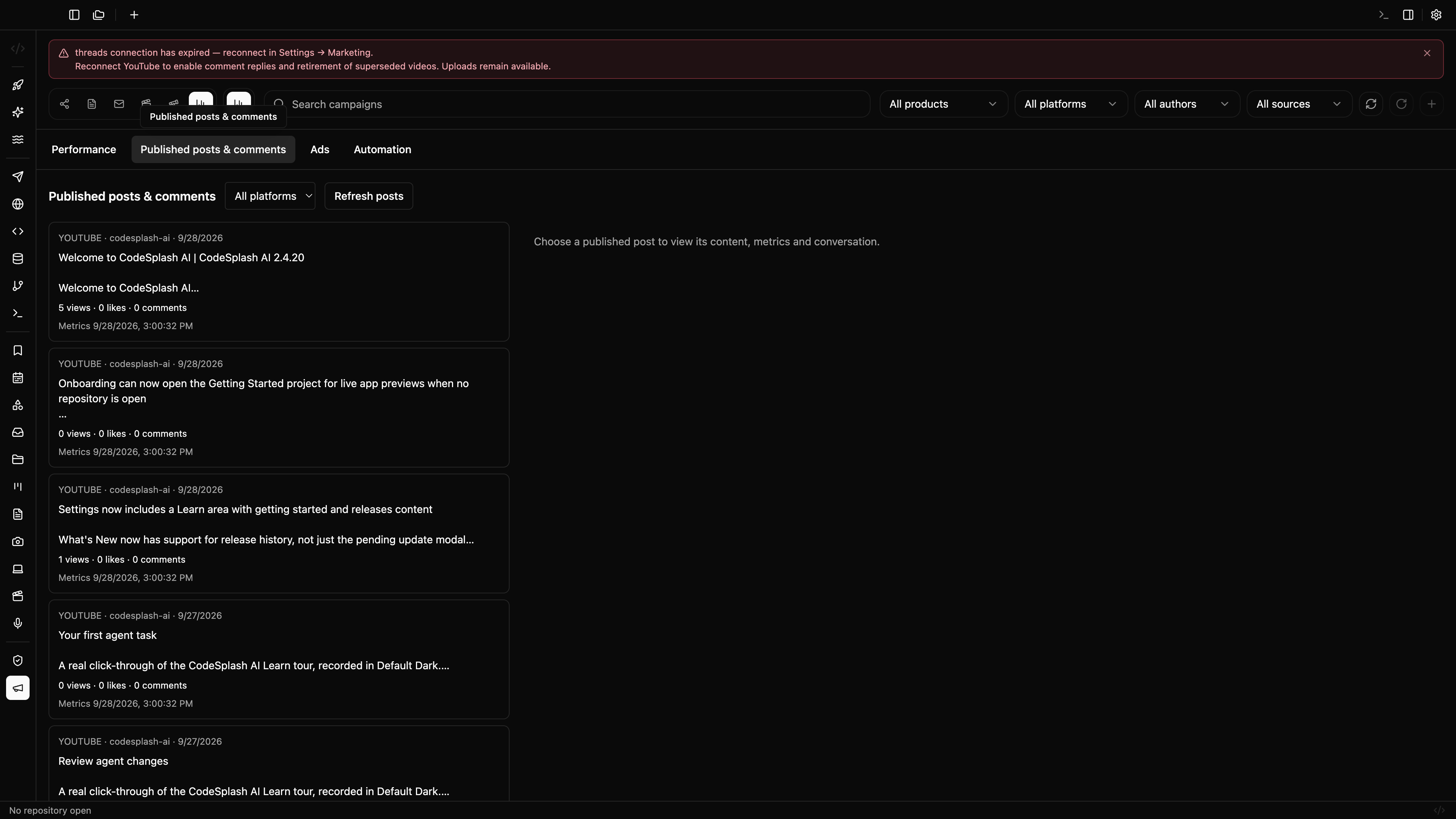
The admin app stores published post identifiers and collects engagement snapshots from supported accounts. This makes it possible to compare a campaign’s posts after they go live. The Activity view opens the live post and shows available views, likes, replies, and engagement snapshots. You can read conversations and reply from the workspace when the connected account grants the platform’s required permissions. Unsupported metrics stay unavailable instead of appearing as zero. YouTube conversations require reconnecting with comment access; Threads reply access also depends on the account’s current grant.
This workspace is an internal operating tool for CodeSplash’s launch process. Follow the updates feed to see the releases it supports.
Feature screenshots
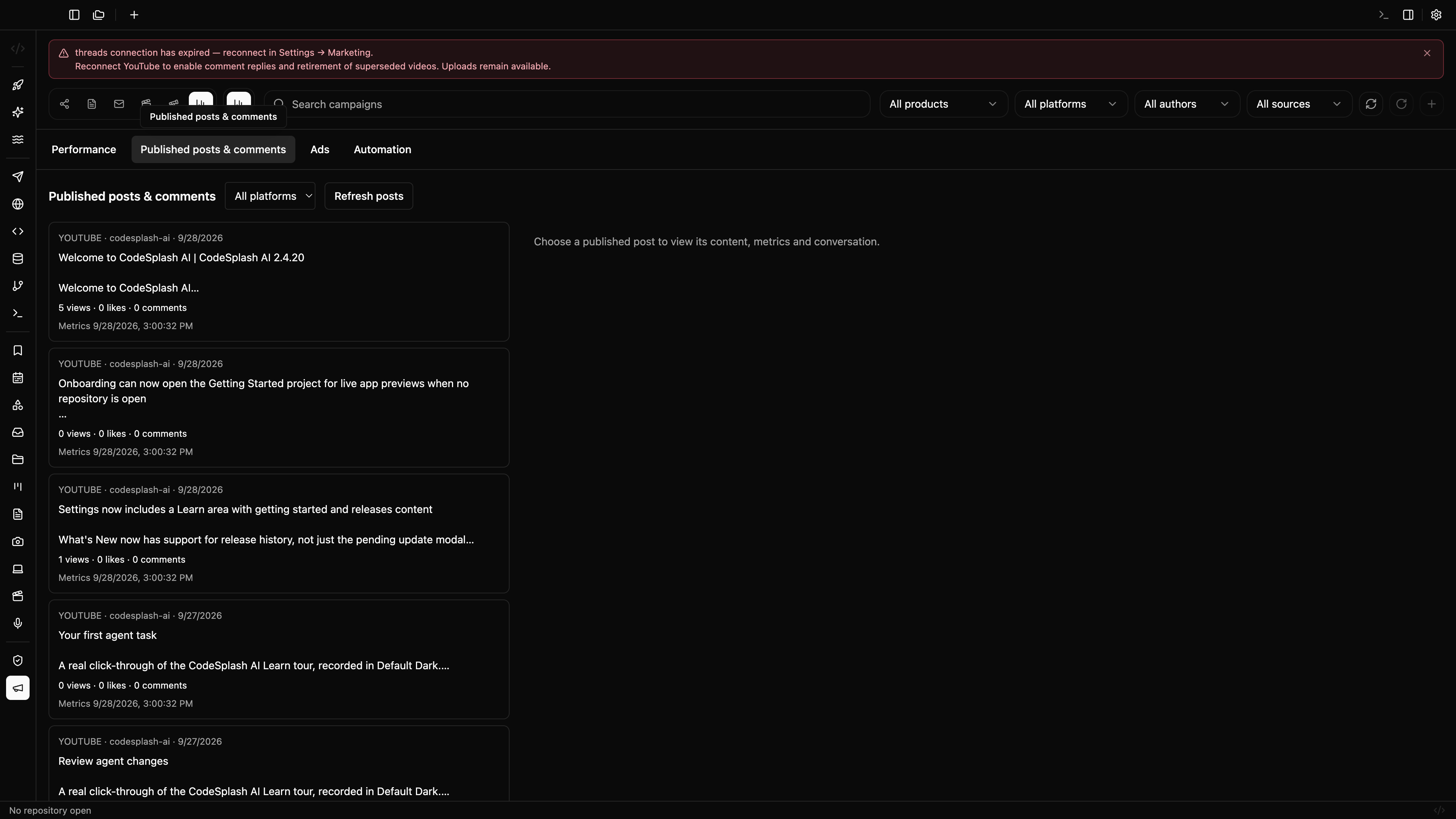
Published posts and engagement metrics · View original 4K screenshot
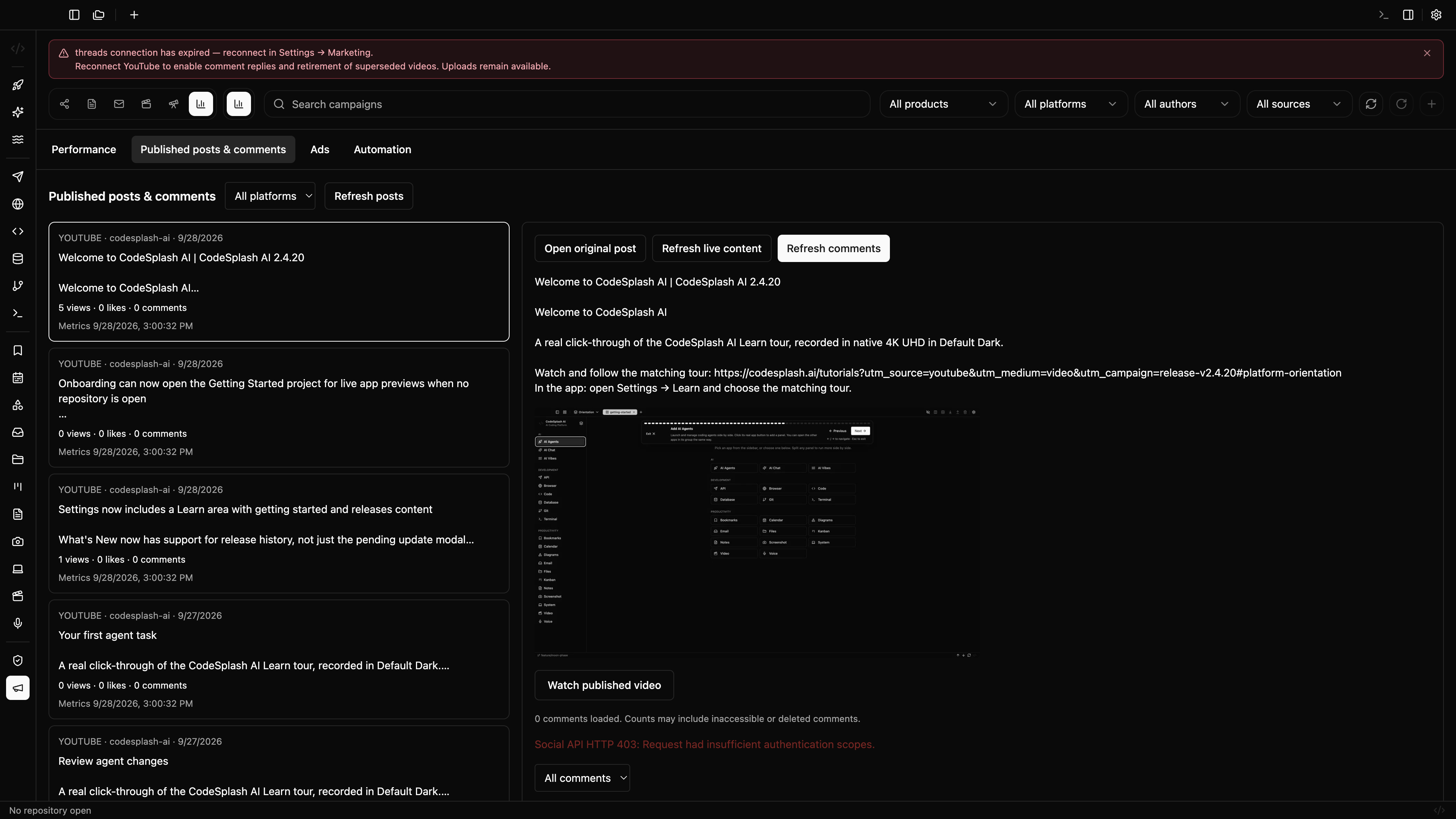
Live post preview and conversation · View original 4K screenshot
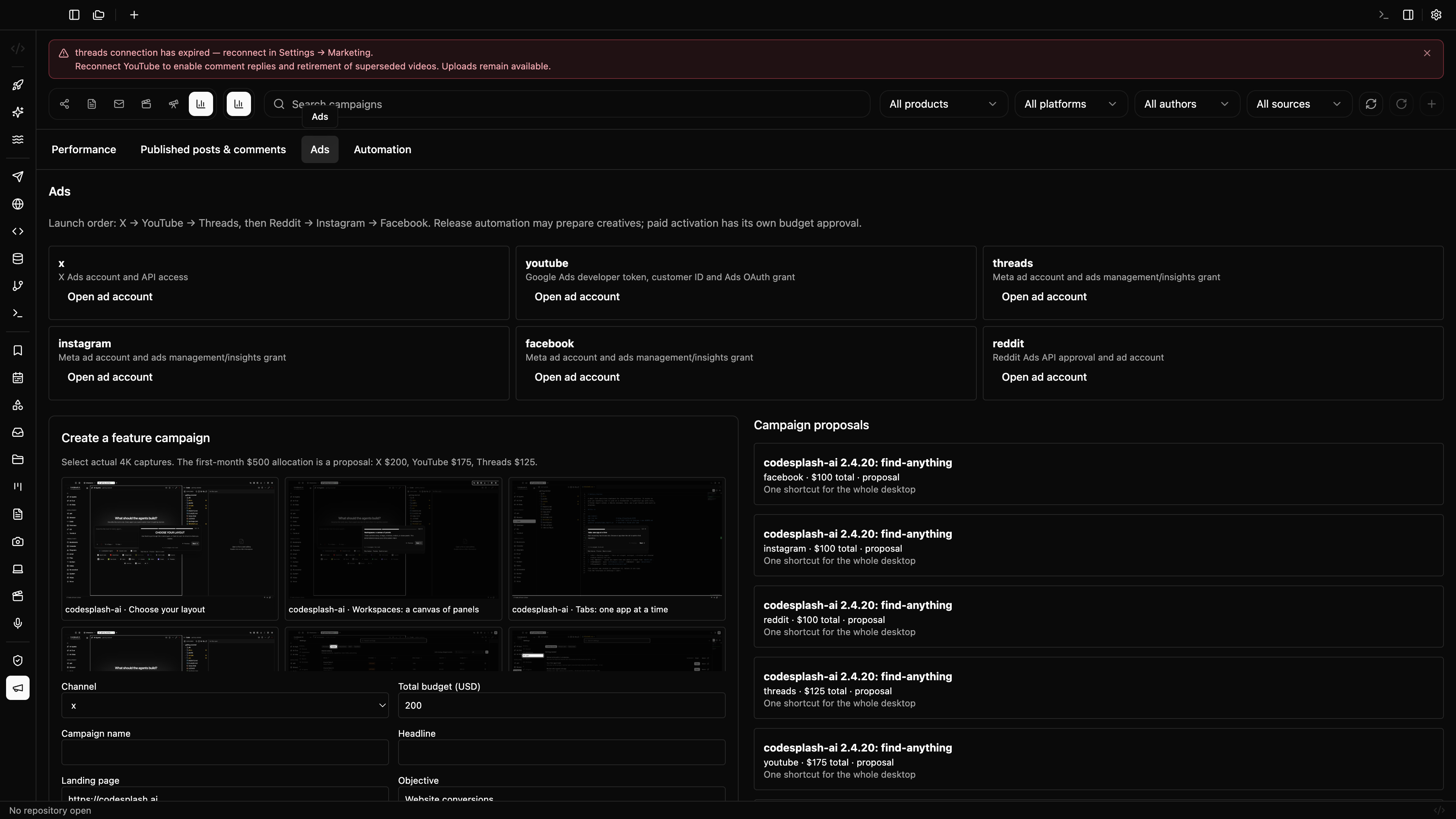
Feature ad proposals and verified screenshot selection · View original 4K screenshot
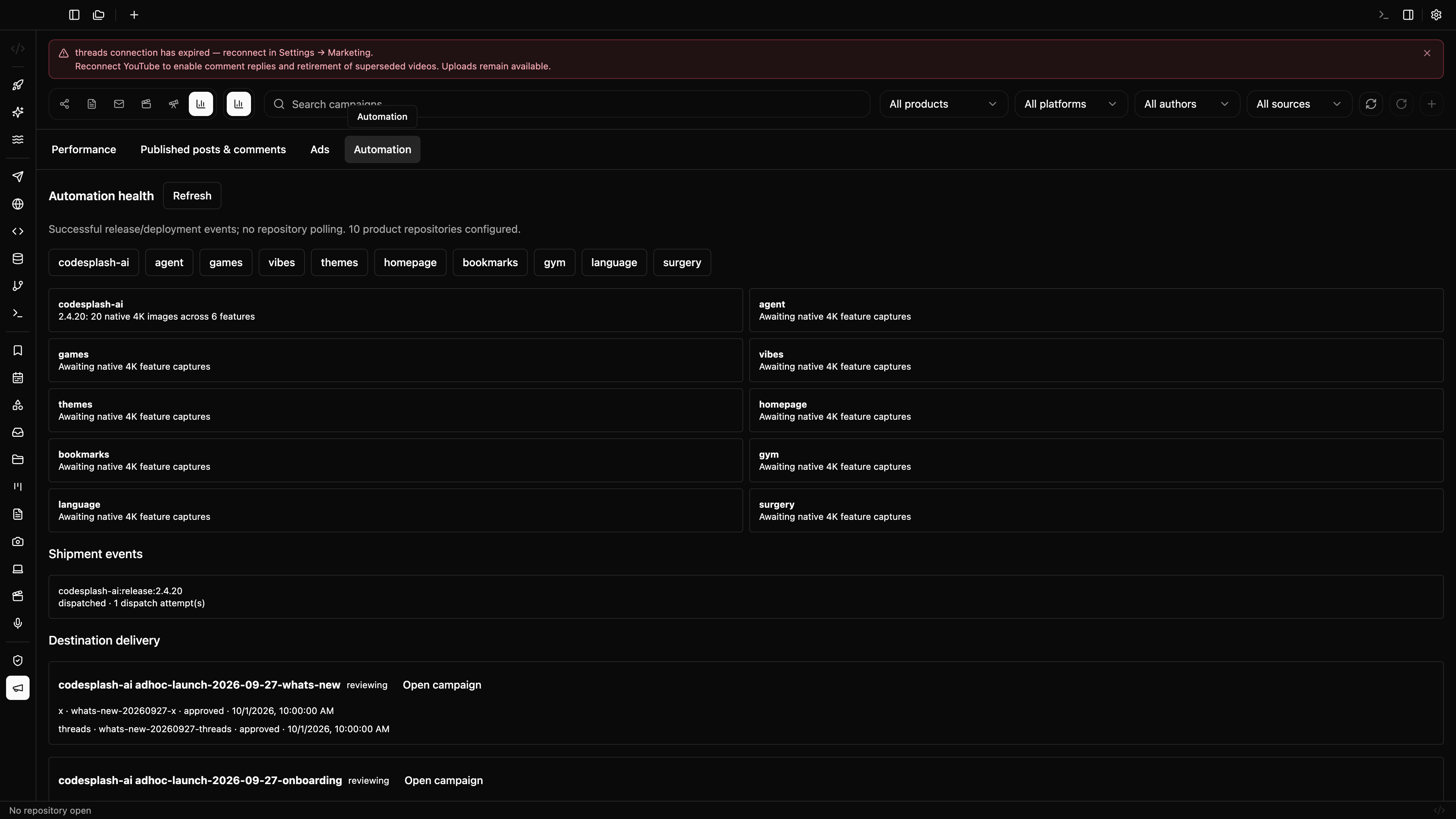
Release delivery and capture coverage across ten repositories · View original 4K screenshot