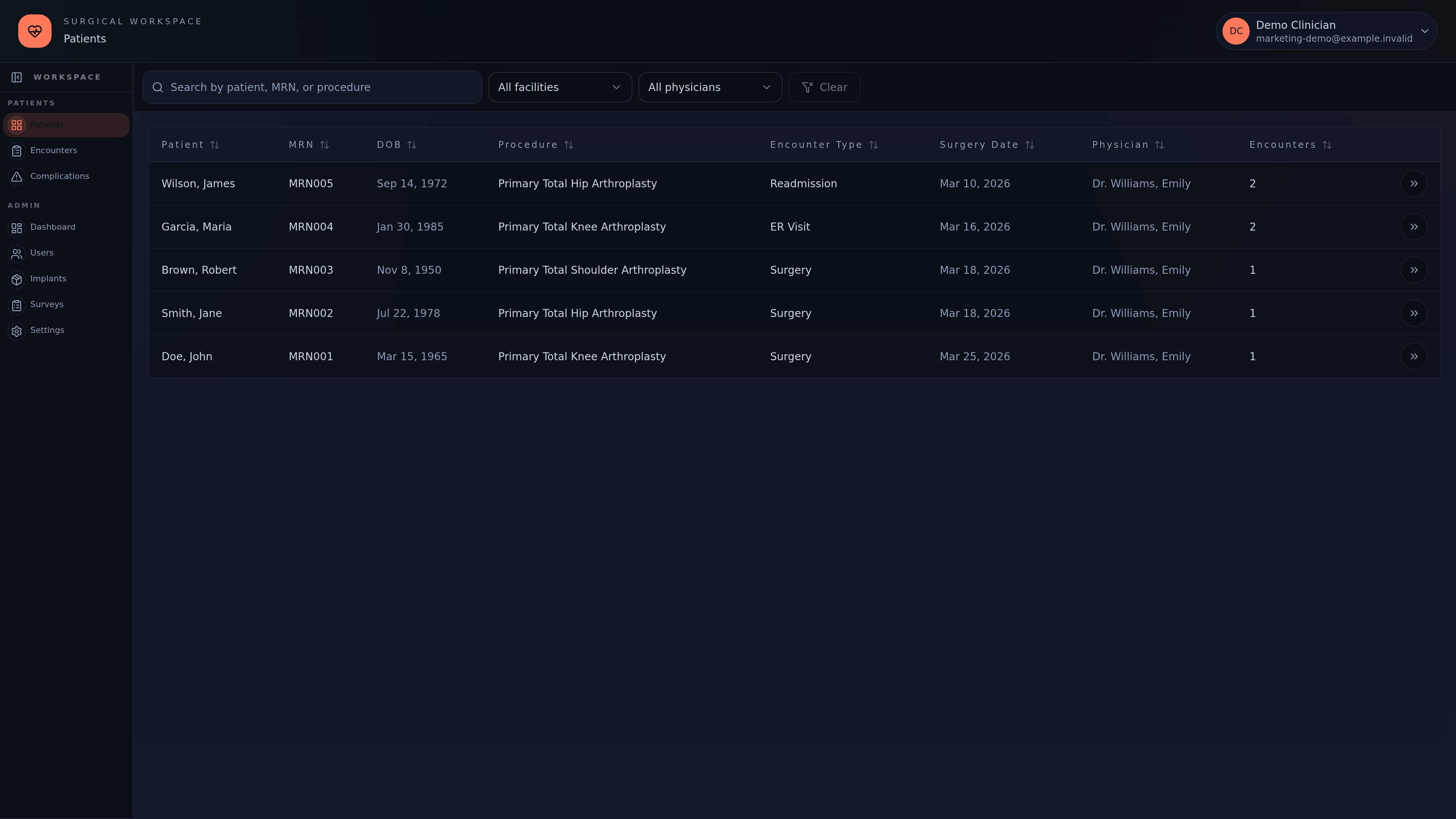
CodeSplash Surgery follows a patient through the surgical journey, with encounter records, clinical forms, patient-reported outcomes, and implants attached to the relevant work. The latest changes focus on the environment around that workflow: presentation, deployment, and preparation for carefully scoped pilots.
A clearer visual starting point
The application now includes Ocean & Heat branding and monochrome default themes. For a tool with patient lists, detailed records, and administrative screens, a coherent visual baseline helps the interface feel like one application as a team moves between tasks.
The underlying workflow remains centered on the patient and their encounters. Teams can work from unit and status lists, open the encounter record, and reach the forms and information associated with that visit.
Forms and outcomes in context
Clinical forms can be designed for the team’s workflow, while the patient record keeps responses tied to their encounters. PROM collection supports the longer view after surgery. Implant records add another piece of the same history rather than becoming a separate spreadsheet to reconcile later.
These are workflow capabilities. They are not a claim that the application improves clinical outcomes or replaces professional judgment. A pilot should establish how the software fits the team’s existing process and responsibilities.
Deployment work for a controlled pilot
Recent engineering work adds native AWS deployment tooling, a Neon database configuration, guarded releases, and verification of startup and rollback behavior. Release links and database-role setup also received attention.
That work is part of making deployments repeatable. A deployment being online is not, by itself, evidence that an organization’s security, contractual, or operational requirements have been met. The repository now includes a separate HIPAA implementation plan; a plan is not a completed compliance claim.
What to try first
A useful pilot starts with fictional patients and a narrow workflow: create or open an encounter, complete a role-appropriate form, inspect the outcome schedule, and verify that the team can find the result again. From there, evaluate access, audit needs, and deployment requirements with the organization’s stakeholders.
The Surgery product page describes the current workflow. Contact support@codesplash.ai to discuss a pilot. Patient information should only enter the pilot after the required agreement and security review.
Feature screenshots
These original 4K captures show the deployed application with fictional demo patients.
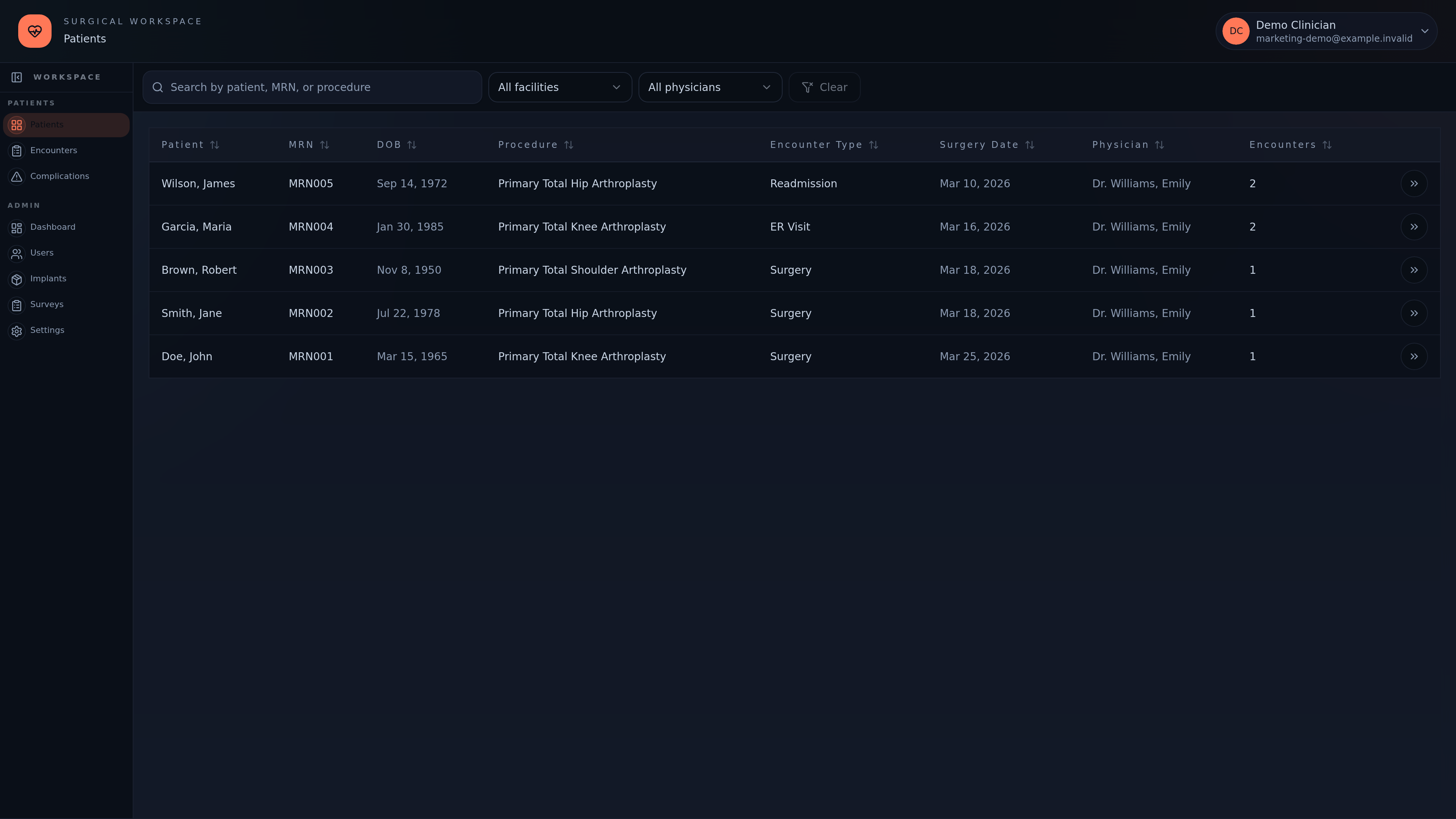
Find a patient by name, MRN or procedure, and filter by facility or physician. Demo data shown. · View original 4K screenshot
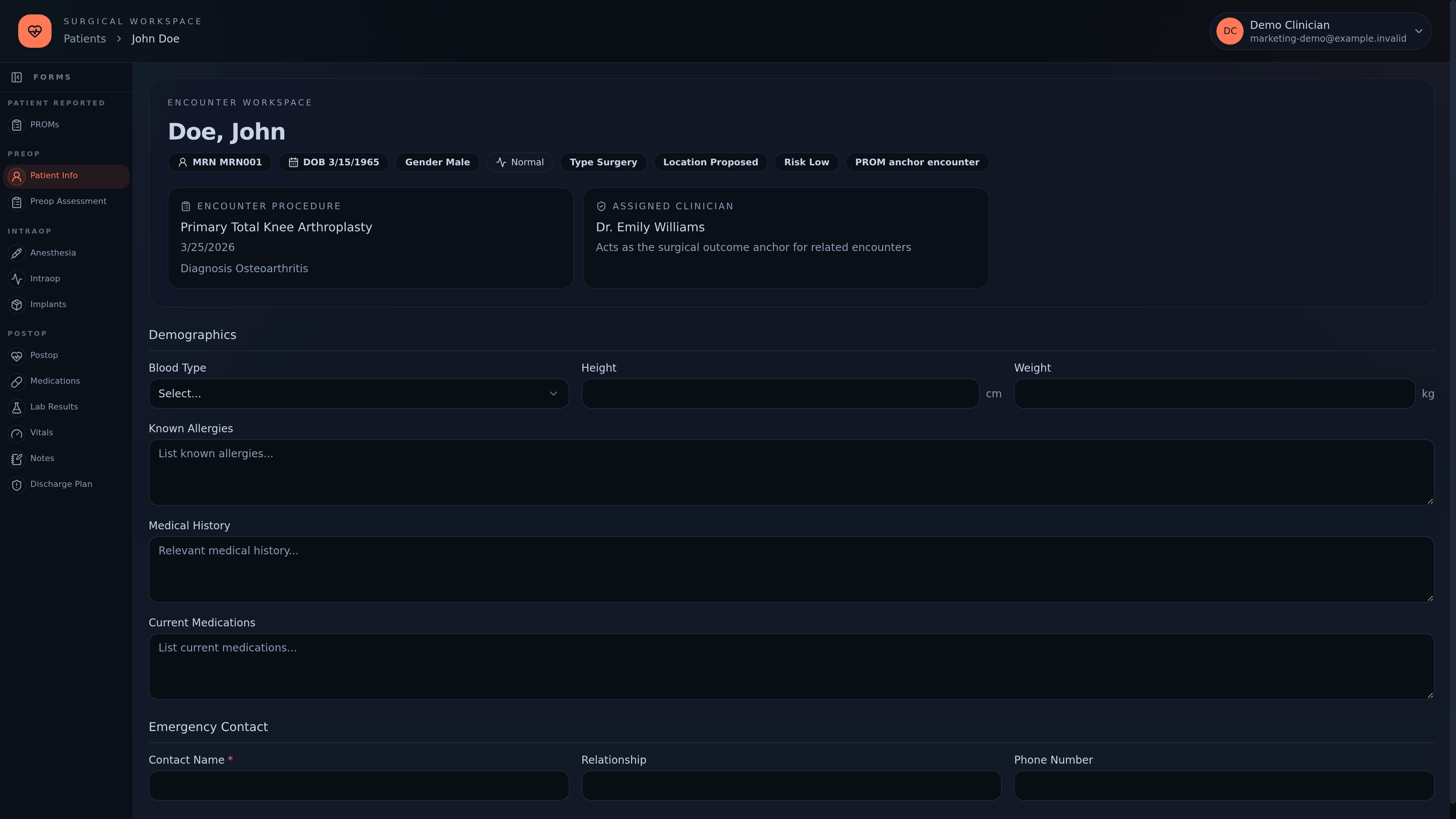
Open an encounter to see the procedure, diagnosis, clinician and patient information together. · View original 4K screenshot
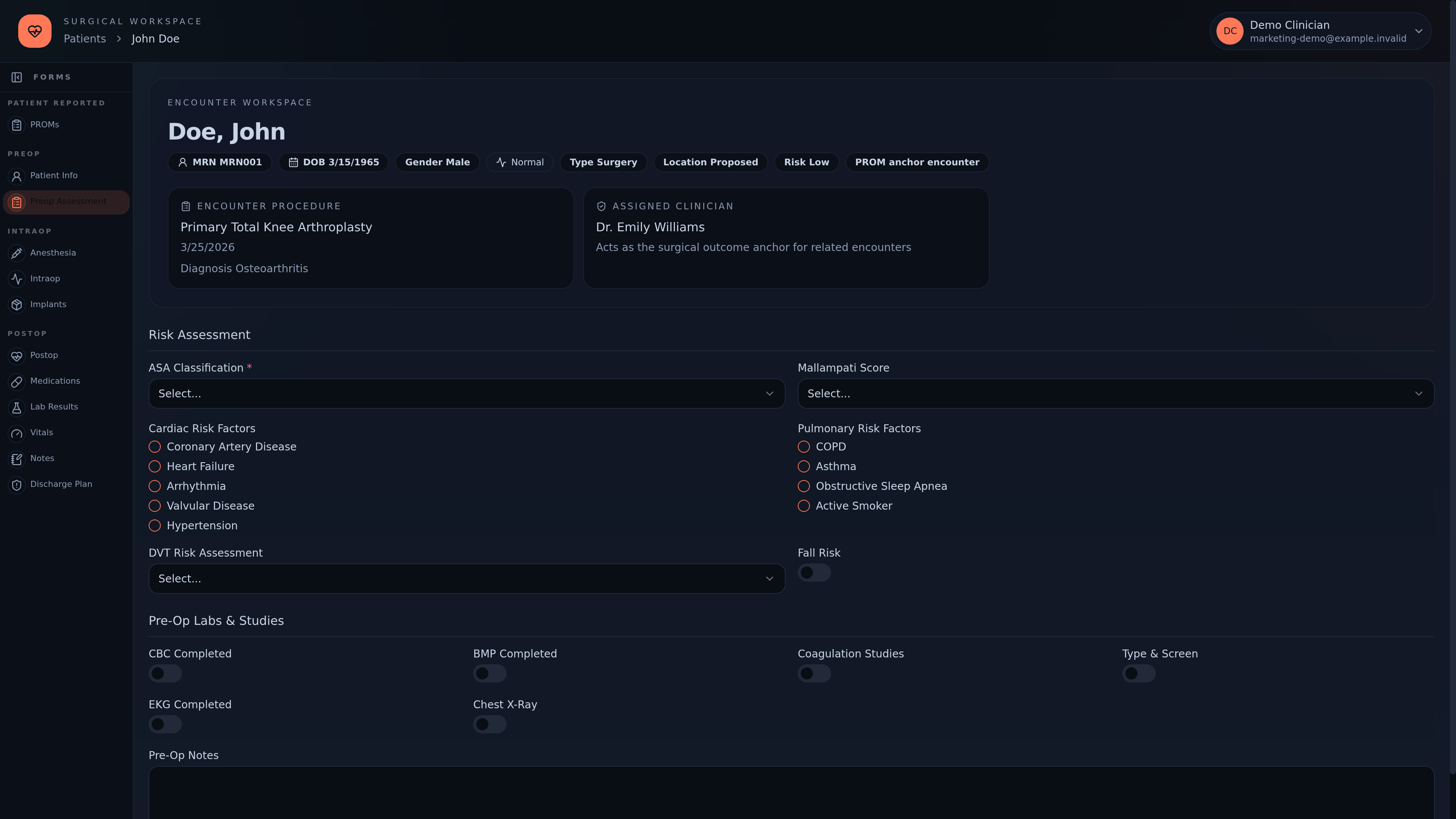
Review preoperative risk factors, required studies and notes within the encounter. · View original 4K screenshot
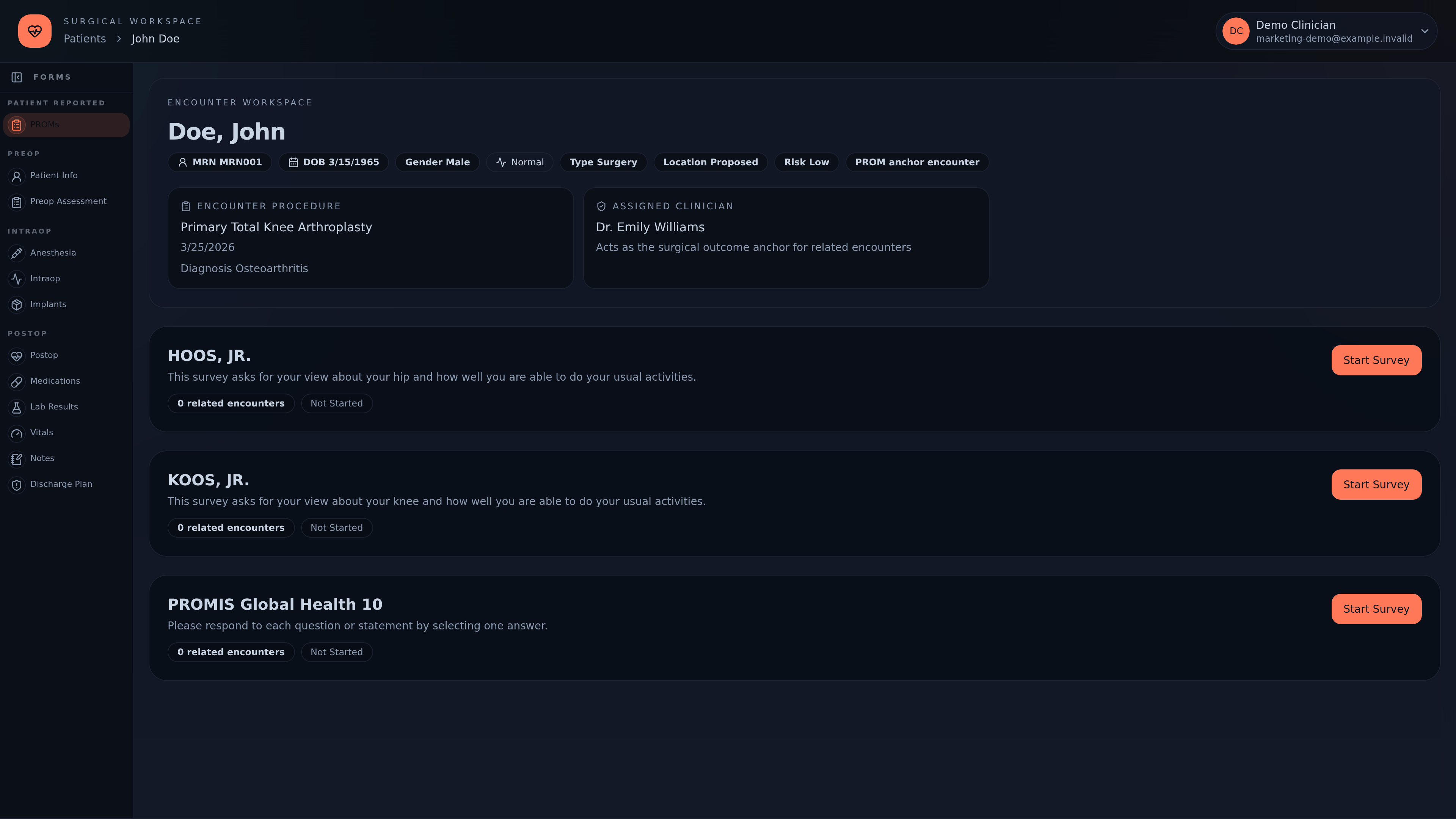
Use the encounter’s outcome surveys to follow patient-reported recovery. · View original 4K screenshot
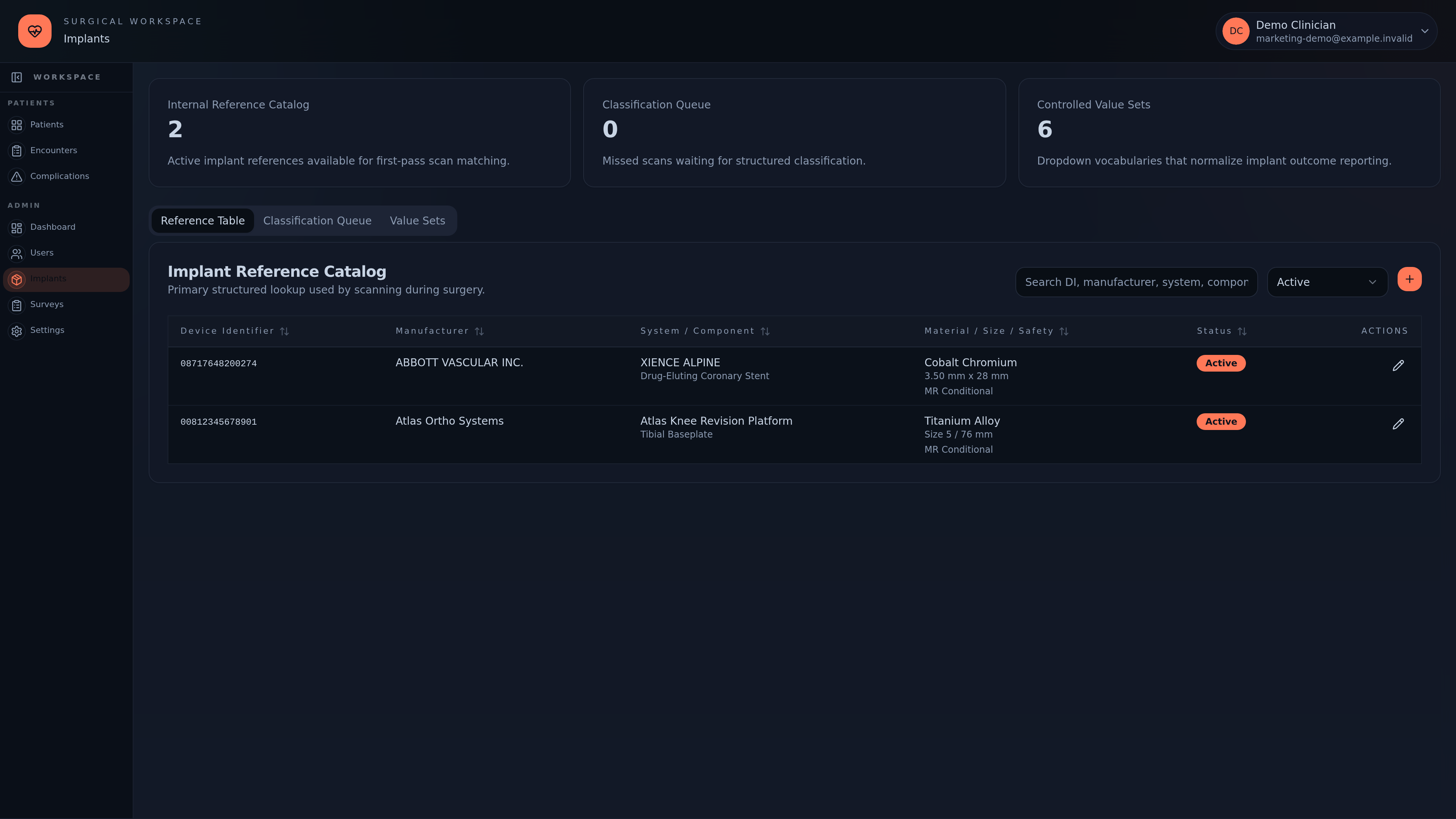
Find structured implant references by identifier, manufacturer, system or component. · View original 4K screenshot